Creating your site
After you've installed MaterialX, navigate to the target directory where you want your project to be located in the terminal and execute the following command:
Tip
MaterialX supports both MkDocs and ProperDocs (ProperDocs recommended).
This will create the following structure:
Configuration
Minimal configuration
Simply set the site_name and add the following lines to mkdocs.yml / properdocs.yml to enable the theme:
The site_url setting is important for a number of reasons.
By default, MkDocs will assume that your site is hosted at the root of
your domain. This is not the case, for example, when [publishing to GitHub
pages] - unless you use a custom domain. Another reason is that some of the
plugins require the site_url to be set, so you should always do this.
Recommended: configuration validation and auto-complete
In order to minimize friction and maximize productivity, MaterialX
provides its own schema.json1 for mkdocs.yml. If your editor supports
YAML schema validation, it's definitely recommended to set it up:
- Install
vscode-yamlfor YAML language support. -
Add the schema under the
yaml.schemaskey in your user or workspacesettings.json:{ "yaml.schemas": { "https://jaywhj.github.io/mkdocs-materialx/schema.json": "mkdocs.yml" }, "yaml.customTags": [ // (1)! "!ENV scalar", "!ENV sequence", "!relative scalar", "tag:yaml.org,2002:python/name:material.extensions.emoji.to_svg", "tag:yaml.org,2002:python/name:material.extensions.emoji.twemoji", "tag:yaml.org,2002:python/name:pymdownx.superfences.fence_code_format", "tag:yaml.org,2002:python/object/apply:pymdownx.slugs.slugify mapping" ] }- This setting is necessary if you plan to use icons and emojis, or Visual Studio Code will show errors on certain lines.
Advanced configuration
MaterialX for MkDocs comes with many configuration options. The setup section explains in great detail how to configure and customize colors, fonts, icons and much more:
- Changing the colors
- Changing the fonts
- Changing the language
- Changing the logo and icons
- Ensuring data privacy
- Setting up navigation
- Setting up site search
- Setting up site analytics
- Setting up social cards
- Setting up a blog
- Setting up tags
- Setting up versioning
- Setting up the header
- Setting up the footer
- Adding a git repository
- Adding a comment system
Furthermore, see the list of supported Markdown extensions that are natively integrated with MaterialX for MkDocs, delivering an unprecedented low-effort technical writing experience.
Configuration Template
If you find it tedious to configure them one by one, you can use the configuration template that this site uses itself to lower the barrier to entry.
Download mkdocs.yml and replace the personalized parts in the template with your own, and leave all other options unchanged.
#---- 1. Site config ----

site_name: MaterialX
site_url: https://jaywhj.github.io/mkdocs-materialx/
site_author: Aaron Wang
site_description: >-
  Born for documents, yet beyond documents.
  Accessible to everyone, extremely easy to use.
  Modern, lightweight, customizable, responsive.

repo_name: jaywhj/mkdocs-materialx
repo_url: https://github.com/jaywhj/mkdocs-materialx
edit_uri: edit/main/docs/

copyright: Copyright © 2016 - 2026 Aaron Wang

extra:
  status:
    new: Recently updated
    deprecated: Deprecated
  social:
    - icon: fontawesome/brands/github
      link: https://github.com/jaywhj
      name: GitHub
    - icon: material/email
      link: mailto:junewhj@qq.com
      name: Email
    - icon: fontawesome/brands/discord
      link: https://discord.gg/cvTfge4AUy
      name: Discord


#---- 2. Page tree ----

use_directory_urls: false
exclude_docs: |
  archives/
#  /drafts/
# not_in_nav: |
#   /tutorials/**/*.md

nav:
  - Home: index.md
  - Get started:
    - Differences: differences.md
    - Installation: installation.md
  - Setup:
    - setup/index.md
    - Colors: setup/changing-the-colors.md
    - Extensions:
      - setup/extensions/index.md
      - Markdown: setup/extensions/python-markdown.md


#---- 3. Theme ----

theme:
  name: materialx
  custom_dir: material/overrides
  code:
    fold:
      enabled: true
  features:
    - content.action.edit
    - content.action.view
    - content.action.agents
    - content.code.annotate
    - content.code.copy
    # - content.code.select
    # - content.tabs.link
    - content.footnote.tooltips
    - content.tooltips

    - navigation.tabs
    # - navigation.tabs.sticky
    # - navigation.top
    # - navigation.tracking
    # - navigation.expand
    # - navigation.indexes
    # - navigation.instant
    # - navigation.instant.prefetch
    # - navigation.instant.progress
    # - navigation.prune
    - navigation.sections
    - navigation.footer

    - search.highlight
    - search.share
    - search.suggest

    - toc.follow
    # - toc.integrate

  # topbar_style: primary   # glass primary accent
  palette:
    - media: "(prefers-color-scheme)"
      toggle:
        icon: material/brightness-auto
        name: Switch to light mode
    - media: "(prefers-color-scheme: light)"
      scheme: default
      primary: blue
      accent: light blue
      toggle:
        icon: material/weather-sunny
        name: Switch to dark mode
    - media: "(prefers-color-scheme: dark)"
      scheme: slate
      primary: cyan
      accent: cyan
      toggle:
        icon: material/brightness-4
        name: Switch to system preference

  language: en
  font: false
  favicon: octicons/milestone-24
  icon:
    logo: logo
  admonition:
    git:
      icon: simple/git
      color: '#f34f29'
    copyright:
      icon: material/copyright
      color: '#2b9b9b'
    heart:
      icon: octicons/heart-24
      color: '#9b2b9b'
    lyrics:
      icon: material/microphone
      color: '#2b2b9b'
    soundcloud:
      icon: simple/soundcloud
      color: '#ff7700'


#---- 4. Plugins ----

plugins:
  # - blog
  # - tags
  - offline
  - search
  - glightbox

  - document-dates:
      type: timeago
      exclude: ['index.md', 'license.md', '*/index.md', 'blog/*']
      recently-updated:
        limit: 10
        exclude: ['index.md', 'blog/*']


#---- 5. Extensions ----

markdown_extensions:
  - nl2br
  - abbr
  - admonition
  - attr_list
  - def_list
  - footnotes
  - md_in_html
  - toc:
      toc_depth: 4
      permalink: true
  - pymdownx.arithmatex:
      generic: true
  - pymdownx.betterem
  - pymdownx.caret
  - pymdownx.details
  - pymdownx.emoji:
      emoji_generator: !!python/name:material.extensions.emoji.to_svg
      emoji_index: !!python/name:material.extensions.emoji.twemoji
  - pymdownx.highlight:
      anchor_linenums: true
      line_spans: __span
      pygments_lang_class: true
      # linenums: true
      # linenums_style: pymdownx-inline
  - pymdownx.inlinehilite
  - pymdownx.keys
  - pymdownx.mark
  - pymdownx.smartsymbols
  - pymdownx.superfences:
      relaxed_headers: true
      custom_fences:
        - name: mermaid
          class: mermaid
          format: !!python/name:pymdownx.superfences.fence_code_format
  - pymdownx.tabbed:
      alternate_style: true
      combine_header_slug: true
      slugify: !!python/object/apply:pymdownx.slugs.slugify
        kwds:
          case: lower
  - pymdownx.tasklist:
      custom_checkbox: true
  - pymdownx.tilde
  # - material.extensions.code_download


#---- 6. ----

# extra_javascript:
#   - javascripts/extra.js
# extra_css:
#   - stylesheets/extra.css
Previewing as you write
MkDocs includes a live preview server, so you can preview your changes as you write your documentation. The server will automatically rebuild the site upon saving.
Live Preview
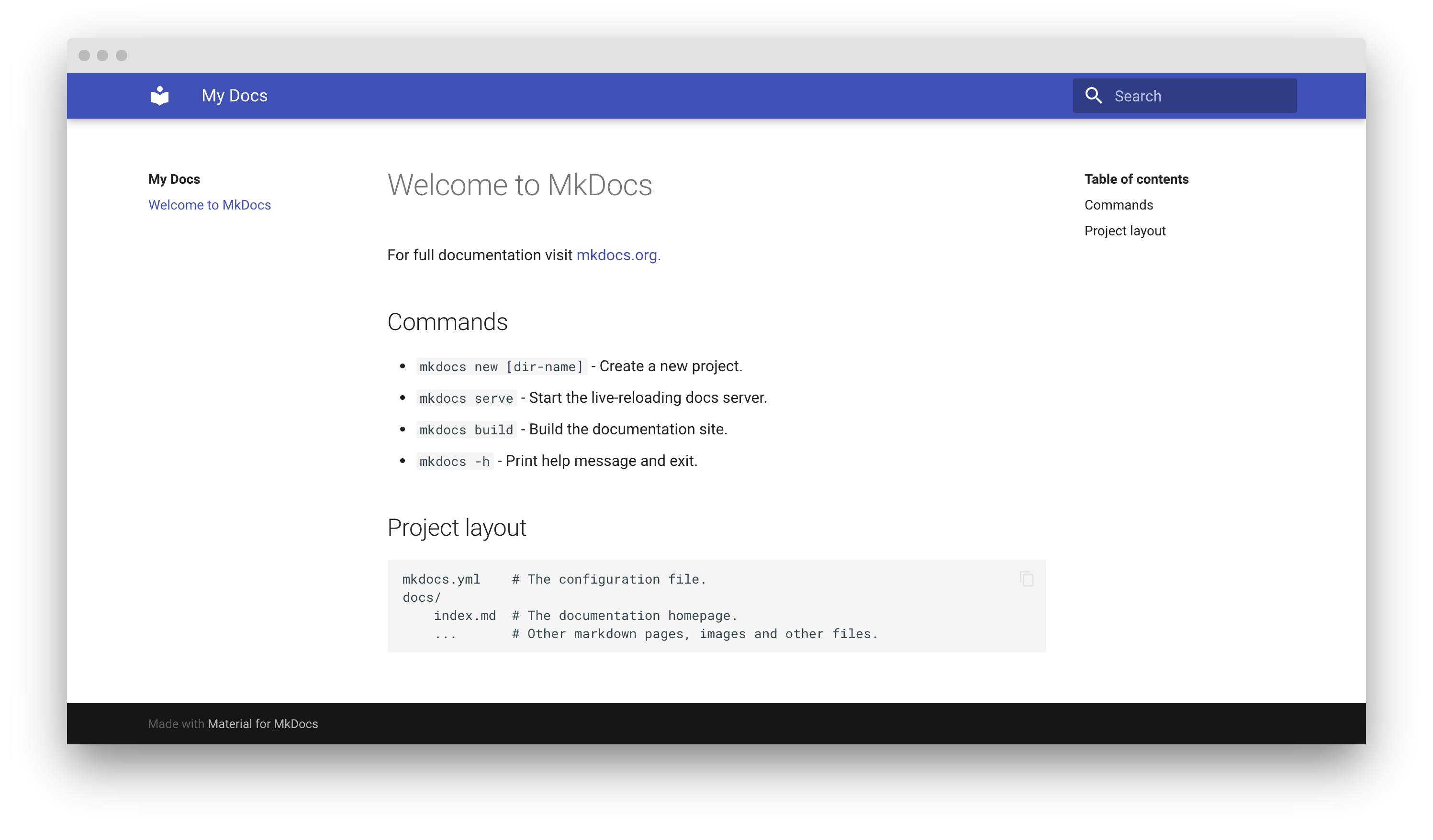
Point your browser to localhost:8000 and you should see:
Dirty Reload
If you are editing and previewing in a library with a large number of documents, you can speed up the rebuild by choosing to focus only on changes to the current page with the --dirtyreload command:
Warning
This method is only intended for page content development, as navigation and other links do not get updated on other pages.
Offline Preview
If you don't need live preview or don't want to start a web server for previewing, you can also choose to open the built local HTML files directly for preview. After running the build command below, simply double-click index.html inside the site/ directory of your project.
Building your site
When you're finished editing, you can build a static site from your Markdown files with:
The contents of this directory make up your project documentation. There's no need for operating a database or server, as it is completely self-contained. The site can be hosted on GitHub Pages, GitLab Pages, a CDN of your choice or your private web space.
If you intend to distribute your documentation as a set of files to be
read from a local filesystem rather than a web server (such as in a
.zip file), please read the notes about built-in offline plugin.
-
If you're a MkDocs plugin or Markdown extension author and your project works with MaterialX for MkDocs, you're very much invited to contribute a schema for your extension or plugin as part of a pull request on GitHub. If you already have a schema defined, or wish to self-host your schema to reduce duplication, you can add it via $ref. ↩