Add recent updates module
The recent updates module displays site documentation information in a structured way, which is ideal for sites with a large number of documents or frequent updates, allowing readers to quickly see what's new.
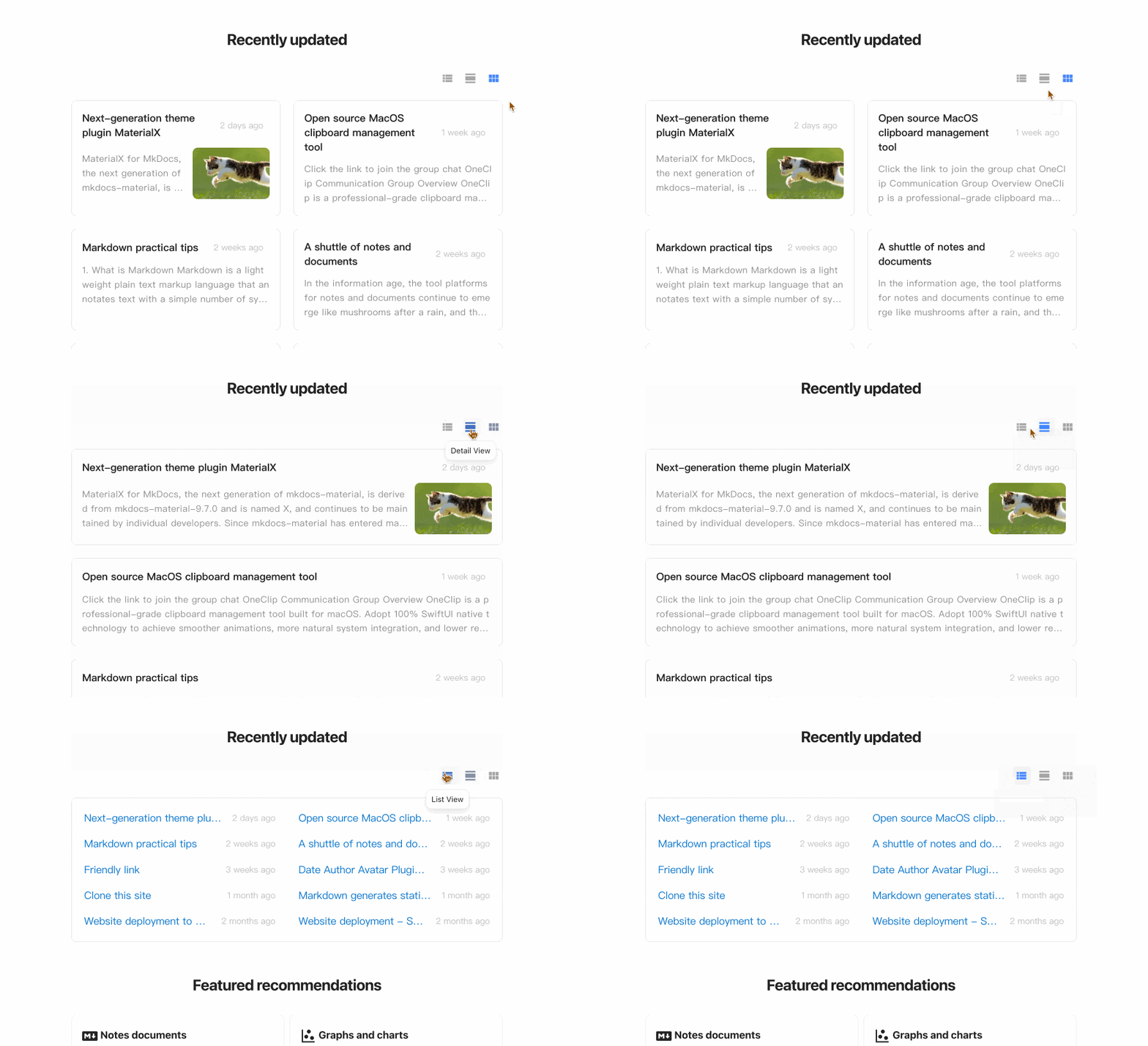
Features
- Display recently updated documents in descending order by update time, list items are dynamically updated
- Support multiple view modes including list, detail and grid
- Support automatic extraction of article summaries
- Support for customizing article cover in Front Matter
- Support automatic readtime estimation, compatible with all mainstream languages and mixed-language content
- Support custom display quantity
- Support exclude specified files or folders
Installation
This feature is provided by the built-in plugin document-dates and requires no separate installation.
Configuration
Configure the switch recently-updated in document-dates:
- document-dates:
    ...
    recently-updated:
      limit: 10         # Limit the number of docs displayed
      exclude:          # Exclude documents you don't want to show
        - index.md          # Example: exclude the specified file
        - '*/index.md'      # Example: exclude all index.md files in any subfolders
        - blog/*            # Example: exclude all files in blog folder, including subfolders
Add to sidebar navigation
Download the sample template nav.html, and override this path docs/overrides/partials/nav.html
Add anywhere in document
Insert this line anywhere in your document:
Configure article cover
Use the field cover in Front Matter to specify the article cover (supports URL paths and local file paths):
Summary Line Configuration
The plugin intelligently parses article content and simply refine the summary without manual configuration. The number of summary lines can be configured separately for grid and detail views:
plugins:

  - document-dates:
      type: timeago
      exclude: ['index.md', '*/index.md', 'blog/*']
      recently-updated:
        limit: 10
        exclude: ['index.md', 'tags.md', '*/index.md', 'blog/*']
        summary_lines:
          grid: 4
          detail: 6
For a more complete and systematic introduction, please refer to Built-in Date Plugin.